Home»Support»1-Click Duplicate Delete for Outlook»Help + FAQWebsite updated: Apr 18, 2024
Compatible
 | to Windows 11, 10, 8.1, 7, Vista, 2003 Outlook 2021, 2019, 2016, 2013, 2010, 2007, 2003, 2000 Intel/AMD, not ARM, not One/Monarch Exchange, Microsoft 365 (Office 365) |
Customer Rating
564 ratings for 1-Click Duplicate Delete for Outlook with an average of 4.57:

References
Boeing, IBM, Intel, Microsoft & NASA are using Easy2Sync.
More >
“Love the program does pretty much exactly what it says on the tin and actually works unlike several others that I have tried.”
Haydon Carter
More >
More >
“Love the program does pretty much exactly what it says on the tin and actually works unlike several others that I have tried.”
Haydon Carter
More >

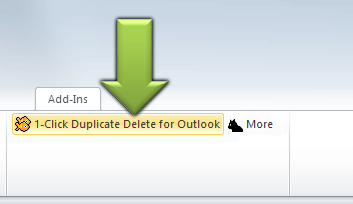
How can I move the toolbar icons? [Only Outlook 2007 or lower]
You can easily copy the icon in the main Outlook toolbar:- Right-click the Outlook menu and choose "Customize".
- Ignore the dialog that appear. Hold the key "Ctrl" pressed.
- Click on one of the buttons of the duplicate software, keep the mouse button pressed and drag the icon into the Outlook toolbar. Repeat for the second icon.
- Release the key "Ctrl" and close the dialog.
See also
· General questions on purchase, download, registration and upgrade.· Purchase questions
Or search the entire FAQ:
Sync Outlook ·
Synchronize Files ·
Sitemap ·
PAD ·
EULA · Uninstall · Mobile version ·
© 1999-2024 ITSTH