- Can Easy2Sync...
Top 5 Questions
References
X
Thank you for choosing 1-Click Duplicate Delete for Outlook. You can remove your duplicates with 3 simple steps:
(Problems? We like to help.)
Let's get started!
Thank you for choosing 1-Click Duplicate Delete for Outlook. You can remove your duplicates with 3 simple steps:
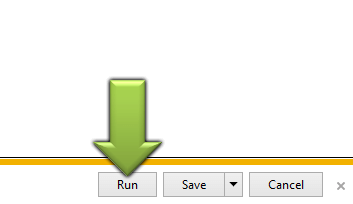
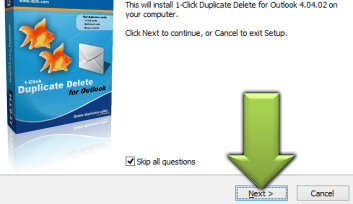
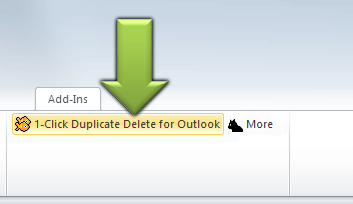
| 1. Run | 2. Install | 3. Start | ||

 |
 |
 |
||
| In your browser click on 'Run'. | Confirm the installation. | Click on the '1-click...' button. Done. (Options for pros can be found in the 'More'-menu.) |
(Problems? We like to help.)
X
Thank you for choosing Easy2Sync for Files. You can sync your files with 3 simple steps:
(Problems? We like to help.)
Let's get started!
Thank you for choosing Easy2Sync for Files. You can sync your files with 3 simple steps:
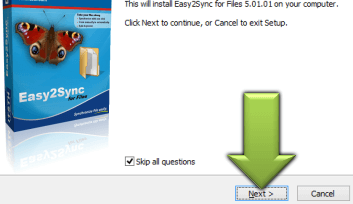
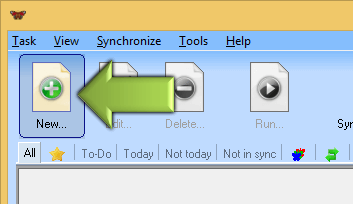
| 1. Run | 2. Install | 3. Start | ||

|
 |
 |
||
| In your browser click on 'Run'. | Confirm the installation. | Create a task and start it. Done. |
(Problems? We like to help.)
X
Thank you for choosing Easy2Sync for Outlook. You can sync your Outlook data with 3 simple steps:
(Problems? We like to help.)
Let's get started!
Thank you for choosing Easy2Sync for Outlook. You can sync your Outlook data with 3 simple steps:
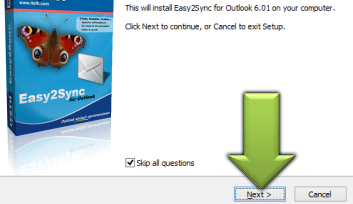
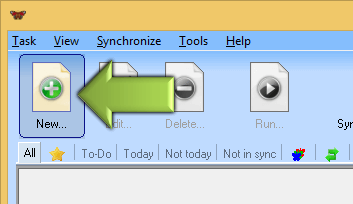
| 1. Run | 2. Install | 3. Start | ||

|
 |
 |
||
| In your browser click on 'Run'. | Install+start Easy2Sync on all all PCs. | Create a new task on your main PC an and run it. Done. |
(Problems? We like to help.)
Contact form


- Products
- Duplicate removal:
- 1-Click Duplicate Delete for Files
- 1-Click Duplicate Delete for Outlook
- PC synchronization:
- Easy2Sync for Files
- Easy2Sync for Outlook
- Canned replies:
- ReplyButler for Outlook
- Minimizing windows to icons:
- TheBest Minimize to Tray
- Auto-Correction:
- ZeroClick Spellchecker
- More products...
- Support
- Product-specific
- (Please choose product first)
- General:
- Download questions
- Purchase questions
- Forgot registration key