Home»Products»Easy2Sync for Outlook»OverviewWebsite updated: Apr 25, 2024
Compatible
 | to Windows 11, 10, 8.1, 7, Vista, 2003 (All combinations) Outlook 2021, 2019, 2016, 2013, 2010, 2007, 2003, 2000 Intel/AMD, not ARM, not One/Monarch Exchange, Microsoft 365 (Office 365) (All combinations) |
Customer Rating
1103 ratings for Easy2Sync for Outlook with an average of 4.66:

References
Boeing, IBM, Intel, Microsoft & NASA are using Easy2Sync.
More >
“Hi, firstly, I would like to extend my thanks for producing a first class piece of software.”
Paul Fisher, IMAtechie UK
“I just want to say that I have been looking for a program to do this for over two years now and I am so excited to finally have something that works. This is fantastic! Thank you for creating this program!”
Tracey Miles
More >
More >
“Hi, firstly, I would like to extend my thanks for producing a first class piece of software.”
Paul Fisher, IMAtechie UK
“I just want to say that I have been looking for a program to do this for over two years now and I am so excited to finally have something that works. This is fantastic! Thank you for creating this program!”
Tracey Miles
More >

Synchronize your Outlook
(Contents: Overview / Features / Examples / Try Now!)|
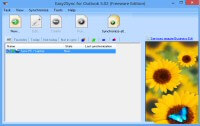
Question: Do you want your e-mails, contacts, etc. synchronized between your PCs within minutes? Easy2Sync for Outlook does that! And best of all: It simply works. Try/Buy Google contacts and Google calendars can be synchronized, too1) - and thus all Android devices. |
 |
||
| More screenshots | Buy | ||
Simple, Safe and Swift Sync for Outlook!
|


Features: Works as YOU need it to!
| Any Data | E-mails, contacts, calendars, notes, tasks. All or parts. |
| Outlook 97 to 2021 and Windows NT to Windows 10! Any combination thereof. | |
| Any Time | Sync manually, time-based, on startup/shutdown, etc. |
| Any Size | Unlimited folders/number of mails/PST size. |
| Any Filter | Exclude by age, category, folder, "private" flag or subject. |
| ANYTHING! | Notebook, desktop, laptop, team calendars, password protection, e-mail notification, backup mode, move mode, exchange support (optional), public folders, folders with different language names, NT services. |

Examples: Use Easy2Sync for Outlook to...
Try now: 5 good reasons
- Free trial
- Free updates for 1 year
- Free support
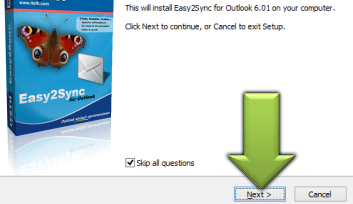
- Easy, wizard-guided installation
- Money-back-guarantee
1) This feature can only guaranteed depending on Google. If Google should decide to turn it off or charge for it, we have to do the same.
What to do next?
»» Next step »»
Download the Freeware Edition now »Test Easy2Sync for Outlook!
- or -
Buy the Business Edition now »
Why delay the solution? Buy now and get started.
Thanks to our 90-day money-back guarantee the fastest and safest option.
Sync Outlook ·
Synchronize Files ·
Sitemap ·
PAD ·
EULA · Uninstall · Mobile version ·
© 1999-2024 ITSTH